1
From the WashTrac Website
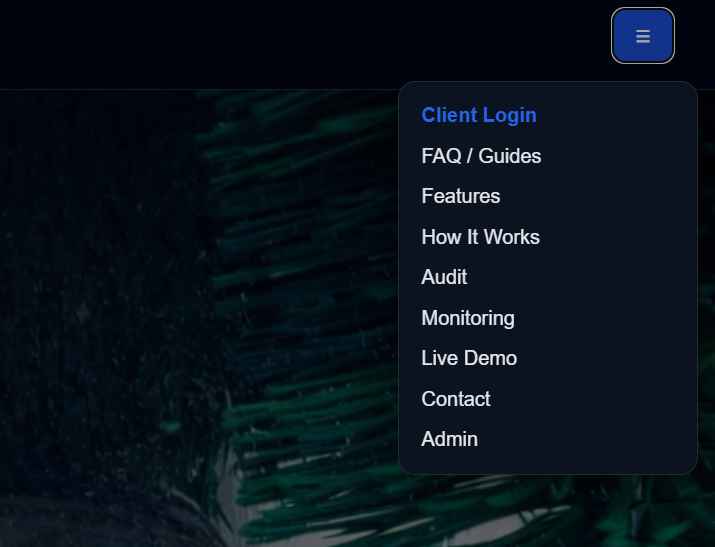
Visit the WashTrac website and open the main menu.
- Go to thewashtrac.com
- Tap the menu button (☰)
- Select Client Login
2
Create Your Account
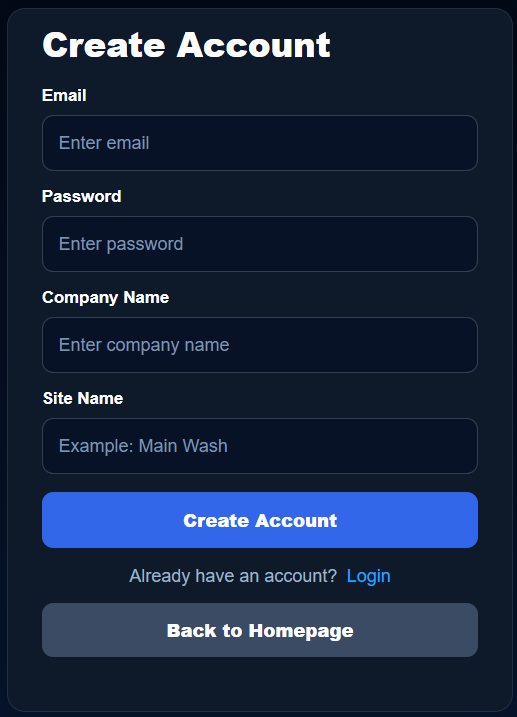
If you do not already have an account, select Sign Up.
- Enter your company information
- Create your login credentials
- Submit the registration form
3
Log In to Your Dashboard
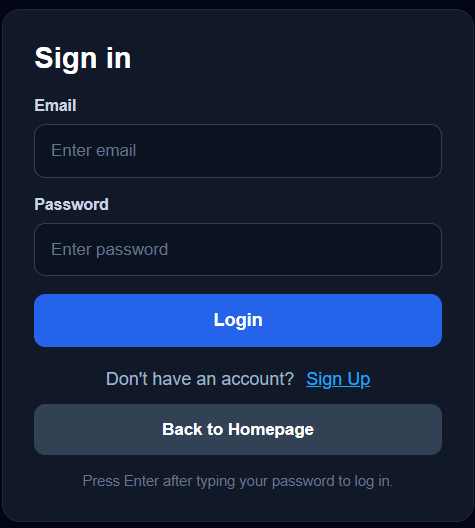
After registration, sign in to access your WashTrac dashboard.
- Enter your email and password
- Select Sign In
4
Add the Device
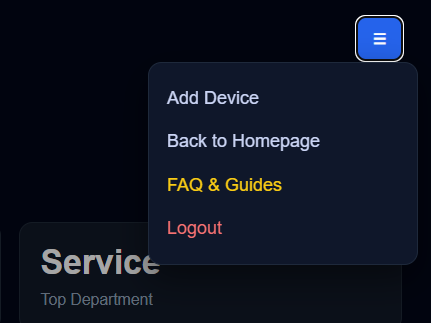
Open the dashboard menu and select Add Device.
- Click the menu button in the top-right corner of the dashboard
- Select Add Device
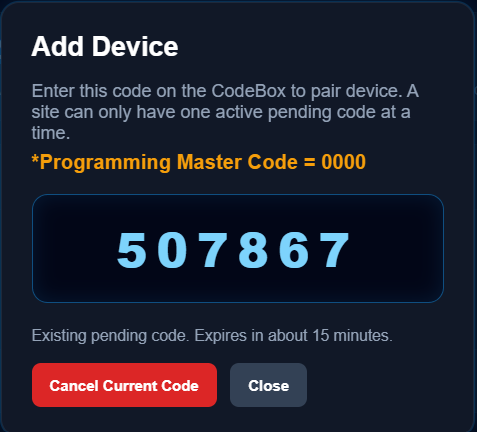
- WashTrac will automatically generate a temporary 6-digit pairing code
5
Retrieve the 6-Digit Pairing Code
After selecting Add Device, WashTrac will display a temporary 6-digit pairing code.
- Locate the pairing code on the screen
- Write it down or keep the page open
Tip: Pairing codes are temporary and are used to securely link a physical Keypad to your account.
6
Enter the Pairing Code on the Keypad
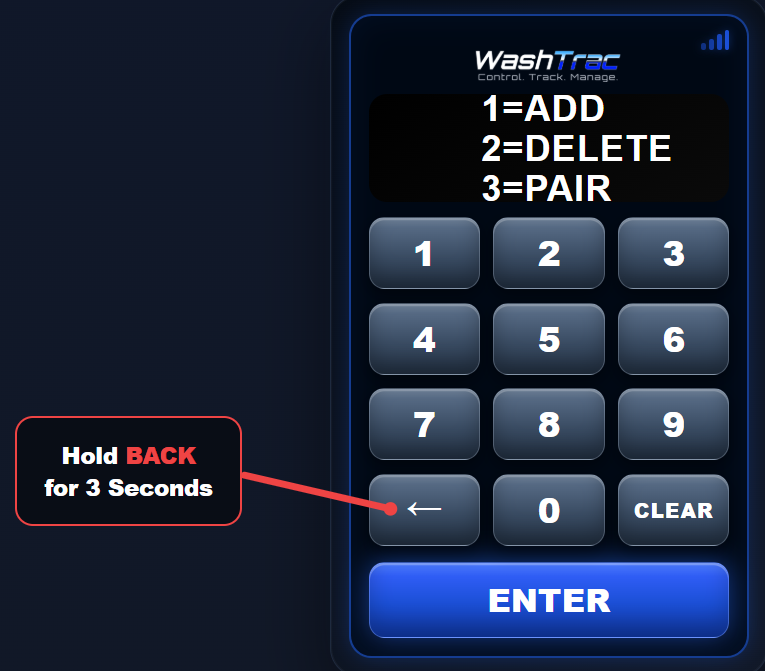
At the WashTrac Keypad:
- Hold the BACK button to enter programming mode
- Select 3 = PAIR
- Enter the 6-digit pairing code
- Press ENTER
7
Pairing Complete
The Keypad will connect to your WashTrac account and begin syncing automatically.
- Access codes will download to the Keypad
- Wash activity will begin appearing in the dashboard
- Reports and monitoring become available immediately
You’re Ready to Go
Your WashTrac system is now connected and ready to manage access,
track usage, and monitor wash activity in real time.
Return to FAQ & Guides
 Back to Guides